The case for tracking access
Right now, who can see your customers' data? Are you sure?
The biggest threat to your company isn't a shadowy hacker. It's the account you forgot to close when a contractor moved on.

Most companies have no idea who can access what
Be honest: if someone asked you today to list every person who can log into your customer records, your files, your email, and your tools — could you? For most growing companies, that list doesn't exist. It lives in a spreadsheet that's six months out of date, or worse, in one manager's head.
And when someone leaves, “offboarding” usually means cut their email. But people collect access quietly — a CRM here, a shared drive there, a billing dashboard, a building key. The email gets shut off on day one. The other fourteen things stay wide open.
It's time to stop managing access in a spreadsheet.
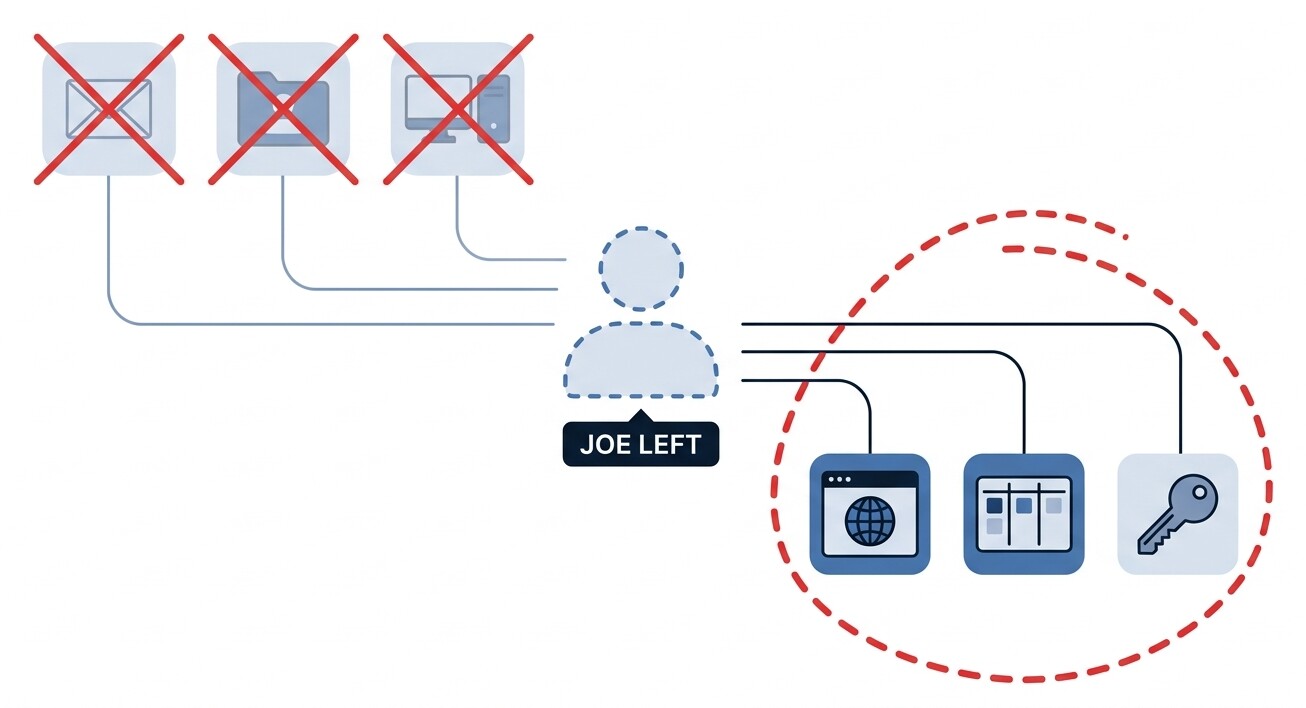
“But we log in with Google for everything”
Single sign-on is genuinely useful — for the accounts wired into it. The trouble is what isn't.
What SSO shuts off
- Email and calendar
- Apps wired into your Google / Microsoft login
- Anything IT connected to single sign-on
What it never sees
- The billing portal with its own password
- Vendor and partner logins
- Shared team passwords
- The legacy system from three tools ago
- The building key and the laptop
The gap between those two lists is where lingering access lives. Permission Report tracks both.
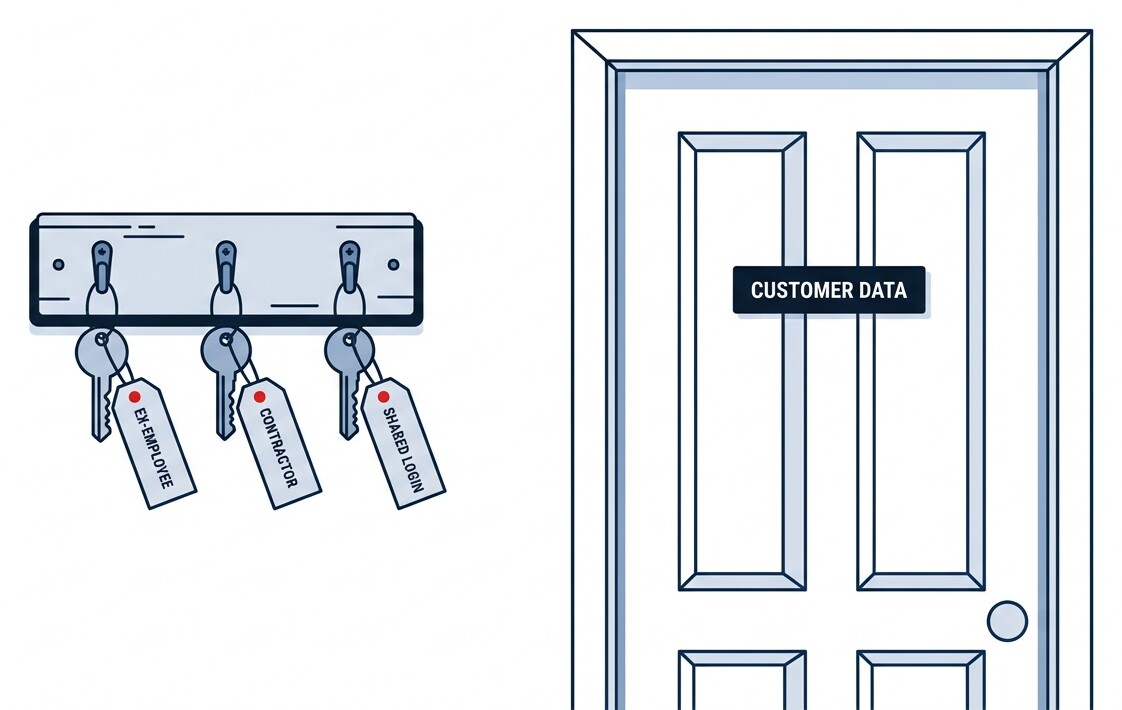
The danger isn't theft. It's exposure.
Here's the part that surprises people: a former contractor or employee doesn't have to do anything to hurt you — the simple fact that they can still get in is the problem.
When someone outside your team can still reach customer data, that access alone can be treated as a security failure — and under rules like GDPR and HIPAA, sometimes as a breach you'd have to prove didn't cause harm. “We're pretty sure we removed it” isn't a defense.
And if that forgotten account is ever compromised, a hacker walks straight in through your ex-employee's login — and that becomes your liability, not theirs. Without a record of who could access what, and when, you can't even prove what was or wasn't touched.
“Nearly a third of all breaches now involve a third party — a vendor, partner, or contractor.”
What's really on the line
Your customers' trust
They handed you their data assuming you'd guard it. One leak — even an accidental one — and that trust is very hard to win back.
The company itself
The average data breach costs $4.44M globally, and far more in the US. For a small company, even a sliver of that is existential.
IBM Cost of a Data Breach, 2025
The question you can't answer
“Who had access — and can you prove you removed it?” When an insurer, a big client, or a regulator asks, “we think so” is the most expensive answer there is.
The other half
This isn't only about avoiding disaster
Most of what access tracking gives you back is quieter: certainty, money, and time.
Sleep like the doors are locked
You don't lie awake wondering about the front door — you locked it, and you know it. A current list of who can reach what gives you the same certainty about the business.
Stop paying for empty seats
Per-seat software keeps charging after someone leaves — a forgotten account is a forgotten subscription. Offboarding that catches every account catches those too. At $3 per employee, one recovered seat can cover it.
Minutes instead of days
Onboarding a hire becomes a checklist from a role template. Offboarding becomes one switch. And an audit answer becomes a report you pull — not a day spent assembling spreadsheets.
What good looks like
The fix is simpler than you'd think
You don't need an enterprise security team. You need one place that always knows who has access to what — and a simple habit of confirming when it changes.
See everything in one place
Every login, license, and key your team holds, in a single list. No spreadsheet, no guessing.
When someone leaves, flip one switch
Mark them as gone, and the system instantly tells each manager exactly what to turn off and collect — the CRM, the drive, the laptop, the key. Nothing slips through the cracks.
Get it in writing — automatically
Each manager signs off that they actually did it: “I disabled the Salesforce account.” Signed, with their name and the time. That signed confirmation is an attestation — and a stack of them is your audit trail.
“We think we revoked it” is a hope. A signed, timestamped record is proof.
It's the difference between a “process failure” and a “person failure.” Instead of hoping the system worked, you have a named person who confirmed the job was done.
Find out who has access — before someone else does.
Trial the whole system free for 30 days in a sandbox with your whole team — then migrate to production when you're ready. No security team required, and at $3 per employee per month, no big-company budget either.
Prefer to talk it through first? Book an intro call
Permission Report helps you put access controls and records in place — it shows you who signed off on every change, but it can't fix human failings or deliberate misuse. It's a tool in your risk profile, not a compliance guarantee.